

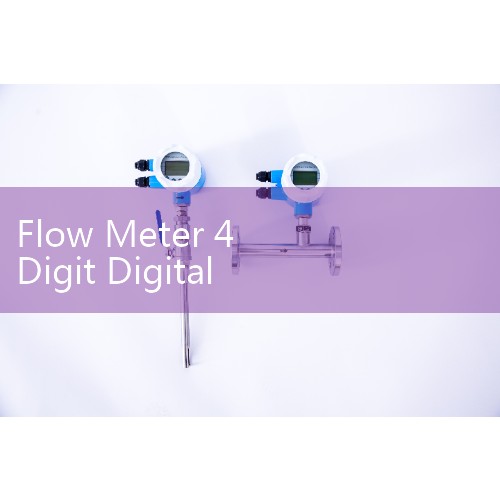
『Flow Meter 4 Digit Digital Counter Manual: Programming Totalizer Displays and Scales』Related information(v cone flow meter|rotary gas meter|gallon meter|gear meter|metal tube rotameter|glass tube rotameter|nutating disk meter|transit time ultrasonic flow meter|wedge flow meter|pd meters|hydraulic flow meter|ultrasonic water flow meter|water flow meter|air flow meter|magnetic water flow meter|oxygen flow meter|gas flow meter|argon flow meter|air velocity meter|gasoline flow meter|fuel flow meter|ultrasonic water meter|digital water meter|nitrogen flow meter|solid flow meter|Oxygen tank flow meter|digital water flow meter|diesel fuel flow meter|steam flow meter|02 flow meter|compressed air flow meter|oil flow meter|liquid flow meter)

Flow Meter 4 Digit Digital Counter Manual: Programming Totalizer Displays and Scales
Quick Answer: The 4 digit counter on a Silver Automation Instruments flow meter stores its scale, decimal point, K-factor, and reset mode in non-volatile memory. You program these values through the front panel SET and UP DOWN keys. After you set the pulse input correctly, the same 4 digit display can show rate, total, or batch volume.
What You Need Before Programming the 4 Digit Counter
Most sites use a pulse output from the flow meter. That signal feeds the counter input on the display board. The 4 digit counter accepts a square wave or open collector pulse. Check the meter manual for pulse output type before you wire the counter.
You need four values. The first value is the K-factor from the flow meter calibration sheet. The second value is the desired engineering unit, such as L, m3, kg, or US gallon. The third value is the decimal point position. The fourth value is the totalizer multiplier if the counter counts in units of 10 or 100.
For a DN25 electromagnetic flow meter, a typical K-factor is 0.0158 L per pulse. For a DN15 oval gear meter, a common value is 0.001 L per pulse. Use the exact value from your meter tag because the display accuracy depends on it.
Set the Flow Meter K-Factor and Decimal Point
Press and hold SET for 3 seconds until the display flashes. Enter the password if your unit has one. The default password from Silver Automation Instruments is 0001. Use UP or DOWN to change the first digit, then press SET to move to the next digit.
Find the K-factor parameter. In most Silver Instruments display boards it appears as KF or K-FAC. Enter the value from the calibration tag. For a pulse output of 20 pulses per liter, enter 20.0000 if the board supports four decimal places. For very low flow rates, use all four decimal places to avoid total error.
Set the decimal point only after the K-factor is saved. The decimal point changes the display format, not the internal math. If you change the decimal point first, the counter may show a value that looks correct but drifts over time. But the internal total is still wrong because the scaling was applied in the wrong order.
Scale the Totalizer Unit for Volume or Mass
Totalizer scale is different from rate display. The totalizer scale is a multiplier. Common options are 0.001, 0.01, 0.1, 1, 10, 100, and 1000. If the flow meter sends 0.001 L per pulse and the display format is cubic meter, set the totalizer scale so that 1000 pulses equal 1 m3.
For mass flow on a Coriolis meter you may set the unit to kg or tonne. The pulse output from the Coriolis transmitter must match the unit on the counter. A mismatch here causes total values to be off by a factor of 1000.
We have seen this on customer sites many times. A water treatment plant in Vietnam wired a DN100 electromagnetic flow meter with a pulse output in liters but the display totalizer was set to cubic meters. The daily total looked too low. The fix was to change the totalizer scale from 1 to 0.001.
Program the 4 Digit Display for Rate or Total
The 4 digit counter has two main display modes: rate mode and total mode. In rate mode the display updates every second. In total mode the display updates when pulses arrive. Most users keep the display in total mode for batch control and switch to rate mode only during commissioning.
To change the mode, find the parameter MODE or DSP. Select FLOW for rate or TOTAL for accumulated volume. The rate mode uses a time base such as per second, per minute, or per hour. A DN50 vortex flow meter with 4-20 mA HART output can show rate on the analog loop and total on the local 4 digit display at the same time.
Password Protection and Reset Options
You can lock the programmed values with a four digit password. After you set the password, the counter will ask for it before any change. The reset function can be assigned to the front panel key or disabled. For custody transfer or billing applications, Silver Automation Instruments recommends disabling the manual reset function.
The master reset returns the 4 digit counter to factory defaults. Do not use the master reset unless you have the calibration tag. The K-factor, decimal point, totalizer scale, and pulse input type will all return to default values.
Wiring Notes for th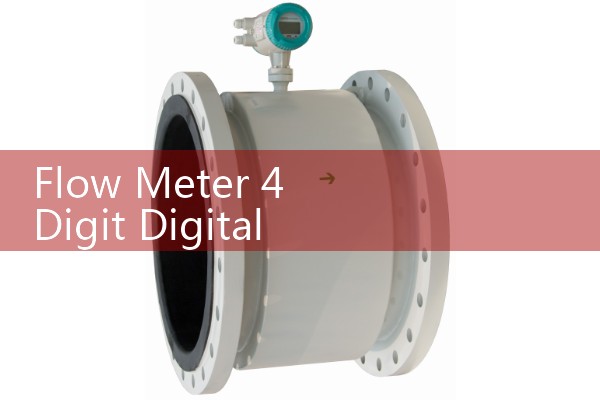
Use shielded twisted pair cable for the pulse signal. The pulse input terminals are typically marked P+, P-, and COM. If the flow meter has an open collector output, connect a 2.2 kOhm pull-up resistor to 24 VDC. If the output is a powered square wave, match the voltage to the display input rating.
Ground loops can cause the 4 digit counter to count extra pulses. Keep the pulse cable away from variable frequency drive cables. In a chemical plant in Malaysia, false counts on a batch total came from an unshielded pulse wire running next to a mixer drive. After rewiring with shielded cable, the counts matched the reference meter.
Common Programming Errors on Customer Sites
The most common error is entering the K-factor in the wrong engineering unit. A user enters 1.000 because the display asks for pulses per liter but the calibration tag shows liters per pulse. This gives a total that is exactly the inverse of the correct value.
Another common mistake is changing the decimal point after scaling. This only changes the display format. It does not change the totalizer resolution. If you want better total resolution, change the K-factor or the totalizer scale first.
A paint manufacturer in Southeast Asia asked us to check a solvent batching total. The pulse output was set to mass units but the display was set to volume. After changing the unit to kg, the batch total matched the recipe.
Recommended Silver Automation Instruments Flow Meters with 4 Digit Counters
The 4 digit digital counter works with several Silver Automation Instruments flow meter families. The electromagnetic flow meter range includes DN10 to DN1200 sizes for water, wastewater, and chemical dosing. The oval gear flow meter range covers DN4 to DN80 for diesel, oil, and other clean liquids. The vortex flow meter line supports steam, air, and gas with temperature and pressure compensation.
For a seawater flow meter in desalination plant service, use a DN80 electromagnetic flow meter with a pulse output and a 4 digit counter. For a fuel oil batch process, use a DN25 oval gear meter with a 4 digit counter set to liter mode. For a Coriolis mass flow totalizer, use a DN15 to DN100 model with the pulse output scaled in g or kg.
Tell us your process fluid. Tell us the pipe size. Tell us the flow range and the unit you need. Silver Automation Instruments will configure the 4 digit counter before shipping. This saves time on site.
FAQ: Five Questions on Flow Meter 4 Digit Digital Counter Programming
Question 1: What does the K-factor mean on a 4 digit flow counter?
Answer: The K-factor is the number of pulses from the flow meter per engineering unit. For a volume counter it is usually pulses per liter or pulses per gallon. For a mass counter it may be pulses per kilogram. Enter this value exactly from the calibration tag.
Question 2: How do I change the decimal point on the display?
Answer: Enter the setup menu with the SET key. Find the decimal point parameter, usually DECP. Select the decimal position and save. The internal scaling will not change.
Question 3: Can one 4 digit counter show rate and total at the same time?
Answer: A single 4 digit counter can show either rate or total at one time. You switch between modes with the MODE key or by cycling the display. For a simultaneous rate and total readout, use a separate display or a model with a dual line display.
Question 4: Why does my totalizer count too low or too high?
Answer: Check the K-factor first. Then check the totalizer scale. Common causes are a wrong pulse unit, a wrong multiplier, or electrical noise from the pulse cable.
Question 5: How do I reset the totalizer to zero?
Answer: Press and hold the reset key if the manual reset is enabled. If the reset is password protected, enter the password first. For billing and custody transfer systems, Silver Automation Instruments can disable the front panel reset.
Request a quote or programming support. Send us your pressure (bar), temperature (°C), pipe size (DN), and flow range. Tell us the pulse output type and the engineering unit you need on the display. Contact Silver Automation Instruments at flow-meter.com.au. Tel: +86-25-68650347. Whatsapp: +86-25-52155837. WeChat: +86 15365082610.
 Hot Product
 Related AD